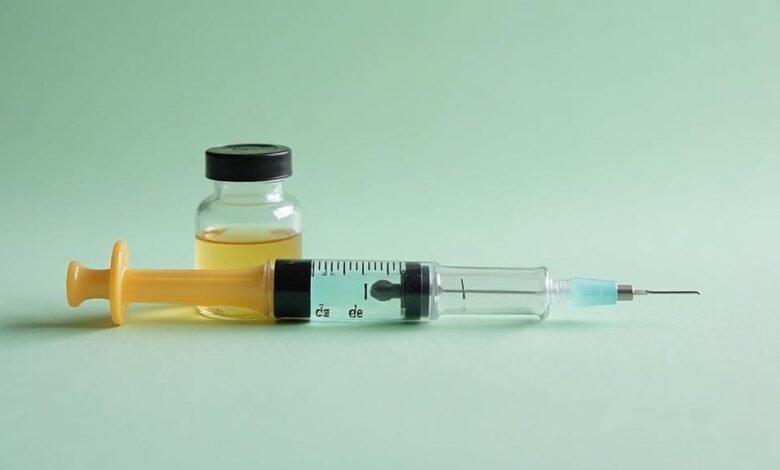
Peptide dosing tools earn their keep when they turn vial size, water volume, and prescribed dose into a syringe mark. That sounds basic until someone is staring at a 5 mg vial and trying not to confuse milligrams, micrograms, and units.
Here’s how I’d group them.
For First-Timers Who Need Math Explained, Not Just Answered
1. FormBlends Peptide Calculator
Start here if you’ve never reconstituted a peptide before. What sets this one apart from every other tool in this list is that it shows you the actual arithmetic, step by step, so you can check the numbers yourself rather than just trusting an output. Enter your vial size (say, 5 mg BPC-157), the BAC water you added (say, 2 mL), and your target dose (250 mcg). It tells you the concentration per mL, exactly how many units to draw on your syringe, and how many doses the vial contains. It also handles the mg-to-mcg conversion automatically, because conflating those two units is genuinely the most common dangerous mistake in peptide dosing. A visual fill bar shows where on the syringe barrel your dose lands. Defaults to U-100 but also supports U-50 and U-40. Free, no account needed, built by the same company that runs a licensed 503A pharmacy.
2. PeptideDeck
Clean, no-frills interface. You put in the mg of peptide, the mL of BAC water, and your target dose in mcg, and it spits out concentration plus draw volume in both mL and insulin units. Nothing fancy. Good for a sanity check when you want a second opinion on your FormBlends numbers.
3. peptidereconstitutecalculator.com
Narrowly focused on BPC-157 specifically. Works in mcg-to-units on a U-100 scale. If you only ever plan to use BPC-157 and want the simplest possible page, this does the job with no distractions.
For People Running Multiple Peptides at Once
4. PeptideFox
Covers more than 30 peptides. The real practical value here is that it optimizes BAC water volume to produce clean, round unit draws, so instead of pulling an awkward 17 units you get something like 10 or 20. Includes a visual reference guide alongside the output. Good if you’re cycling several compounds and want consistent, easy-to-read draws for each.
5. LeadWest Medical
Built by a medical clinic, so the framing is clinical rather than DIY. Supports retatrutide, BPC-157, TB-500, ipamorelin, CJC-1295, tesamorelin, sermorelin, and GHK-Cu. If your stack includes a mix of growth hormone secretagogues and repair peptides, this one covers it in a single session.
6. Outliyr
Similar breadth: BPC-157, TB-500, ipamorelin, CJC-1295, tesamorelin, GHK-Cu, and the GLP-1 class. The page is more editorial than pure calculator, with context around each peptide. Useful if you want background reading alongside the math.
7. MyPeptideMatch
Free, and it reaches beyond traditional peptides into semaglutide and tirzepatide territory. If you’re managing GLP-1 injectables alongside a BPC-157 protocol, this is one of the few tools that handles both in one place.
For Reference and Sanity-Checking
8. peptides.org Dosage Charts
Not a live calculator. Static reference charts. But if you want to cross-check a dose range against a known independent source before you punch numbers into any tool, this is the place to start. No math, just documented ranges from the peptide research community.
9. Prime Peptides Calculator
Vendor-hosted tool. The reconstitution math is the same as everywhere else because there’s only one correct formula. Worth knowing about, though like any vendor-run page it’s worth double-checking outputs against a neutral source.
A Note on the Universal Math (Why Any of These Can Work)
The reconstitution calculation is identical for every lyophilized peptide. Add X mL of water to Y mg of peptide, get a concentration of (Y/X) mg per mL. Want Z mcg per dose? Divide Z by (concentration in mcg per mL) to get mL drawn, then multiply by 100 for U-100 units. That’s it. The formula does not change for BPC-157 versus TB-500 versus anything else.
One thing every beginner gets tripped up on: adding more BAC water does NOT change how much peptide you inject per dose, it only changes how many units you draw. More water means more units per dose, not a stronger dose. Fewer tools explain this clearly. FormBlends and PeptideFox both address it explicitly.
For Mobile Tracking (Not Just One-Off Math)
10. FormBlends App (iOS/Android)
The same calculator from tool number one, but inside a proper app. Adds a 55-compound reference library, injection-site rotation tracking, and dose logging. If you’re running a multi-week protocol and want to record what you injected, when, and where, this replaces a notes app and a calculator in one place.
Honorable Mentions Worth Bookmarking
11. Any Spreadsheet You Build Yourself
Seriously. Once you understand the formula, a three-column Google Sheet (vial mg, BAC mL, target mcg) with a single formula per row is perfectly reliable. Takes 10 minutes to set up and you own it.
12. Your Compounding Pharmacy’s Label Instructions
If your peptide came from a licensed compounding pharmacy, the label will often include the concentration and exact draw volume. That is not a calculator, it is the answer. Use the tools above only when the label doesn’t cover your specific dose.
Quick Reference: U-100 Syringe Conversions
| Draw Volume | Units on U-100 Syringe |
| 0.1 mL | 10 units |
| 0.25 mL | 25 units |
| 0.5 mL | 50 units |
| 1.0 mL | 100 units |
Most of the tools in this list are anonymous web pages with no named company behind them. That’s fine for basic math checks. For anything more involved, knowing who built the tool and whether they have skin in the game matters more than you’d think.
Common Questions
Does it matter which BAC water volume I enter into FormBlends or PeptideFox if my dose stays the same?
Yes, it matters for your draw volume, not your dose. If you add 1 mL instead of 2 mL to a 5 mg vial, your concentration doubles, so you draw half as many units for the same 250 mcg dose. Both FormBlends and PeptideFox recalculate this automatically, but entering the wrong water volume gives you a wrong unit draw even if the peptide math is otherwise correct.
Can I use MyPeptideMatch or LeadWest Medical for BPC-157 if I’m also injecting semaglutide?
MyPeptideMatch is the better pick for that combination. It explicitly covers GLP-1 injectables alongside BPC-157 in one session. LeadWest Medical is strong for peptide stacks but its published calculator page is oriented toward the compounds listed there, which do not include semaglutide or tirzepatide.
Why do some of these calculators suggest different BAC water volumes for the same vial size?
They are not disagreeing on chemistry. Tools like PeptideFox actively suggest a water volume that produces a round unit draw, say 10 or 20 units instead of 13. The underlying dose is identical either way. It is a usability choice, not a dosing difference, and it matters most when you are drawing the same vial repeatedly over several weeks.
Is peptidereconstitutecalculator.com reliable enough to use without a second-opinion check?
For BPC-157 on a U-100 syringe, the math is straightforward and the formula has no variables unique to that peptide. Running the same inputs through PeptideDeck takes about 30 seconds and confirms whether the outputs match. That habit is worth building regardless of which tool you start with.
Does the FormBlends app track injection sites differently than the web calculator?
The web calculator does not track injection sites at all. That feature is app-only. The iOS and Android version adds rotation logging across sites, which matters for subcutaneous protocols where repeating the same spot repeatedly can cause irritation or inconsistent absorption over a multi-week run.
Sources
- peptides.org, public dosage reference charts
- PeptideFox (peptidefox.com), tool documentation
- LeadWest Medical, published calculator page
- Outliyr, published peptide calculator and reference content
- MyPeptideMatch, public tool listing
- PeptideDeck, public calculator interface
- U-100 syringe volume standard, insulin syringe manufacturer specifications (widely published)